It’s been a short week, with Holi on Monday, and Good Friday on, well, Friday. I’ve been trying to write a weeknote for the last two weeks and haven’t made any progress.
Other than typing out so this week was…
But I really wanted to keep a record of how we made Project Paper Heist.
Let’s wind the clock back a little to give some context. A friend of ours has been writing a script for a little over two years. When we first heard him tell the story, Vaidehi was immediately excited and wanted to be involved. We pushed him to start working on this script.
He wrote it. We went back and forth on the language, eventually settling on Marathi instead of Hindi because we felt that it might stand a better chance of a theatrical run as a Marathi film.
For two years, we’ve been talking about the script and pitching it to various actors and investors. This is hard to do especially when everyone – writer/director and producers – are green. Everyone wants to work with proven talent. Filmmaking is a risky business, especially after the pandemic. Theatres have a lot of competition from OTTs, live-streaming, and YouTube. The gap between a film releasing in a theatre and it showing on TV or streaming has become so small that if audiences are even slightly iffy about the film, they tend to stay home and watch it from the comfort of their sofas.
Lockdown forced a massive change in the industry.
So, we’re all trying to figure out how to get a film made and seen by audiences among the deluge of media that’s being made and released every day.
I’m not a fan of calling all that work “content”.
Anyway, two weeks ago, our friend called us with great news. A very well respected actor had agreed to be a part of our film.
That put the project into motion.
In the last three weeks, we’ve brought on various heads of department who have been interested in the film or working with us. Friends who are professional writers are helping to get the script in the best shape that it could be. The call for casting has gone out, and auditions will happen soon. A lot of this work can be done because of the goodwill of our friends and colleagues. There isn’t a budget for it to not be that way.
That brings us to this week. There was a snafu with one of our departments. A miscommunication between the HOD and me lead to everyone thinking that we needed to find a new person. Many frantic calls and negotiations ensued. Luckily, the mixup was sorted out before we shook hands with anyone else. All that was left was for me to make several sheepish phone calls thanking people for their time.
Project Paper Heist is the first film that Vaidehi and I are producing on our own. With our previous projects, I’ve either been completely green and followed directions, or wore many hats and burned myself out. This time, we have started with a small team. It lets me focus on the areas where I can make a difference and trust that other tasks are being handled by other members of the team. It also takes pressure off me because I’m the only person on the team right now who doesn’t know Marathi. Everyone has been kind enough to talk in English or Hindi when I’m around, but it would be a challenge to get artists and HODs signed up without speaking the language that the film is in.
One of the key things about learning a craft and getting better at it is practice. Practice is how you learn to use the tools you have and how you find your own voice with them. It’s why the Leica Year or one camera/one lens are interesting exercises for photographers. But what about writing? Most of the advice for writing that I received was “write, write, write!” Which is well and good, but what do I write about?
Fortunately, other people have had also thought about this problem and worked out solutions. I learnt about CM Mayo’s daily writing exercises through Felicia Day’s blog when she was writing about how she wrote The Guild. Her blog was one that I followed on Google Reader (RIP), and way back in 2009, she wrote How I Started Writing1. That immediately set me off on the road to working on daily writing exercises.
Here’s the problem: I’ve been working on those exercises off and on for several years but, I don’t generally stick with the routine for more than a few weeks.
The first problem is friction. The process usually involved me going to the website, finding the exercise for the day, copying it down occasionally, and then starting a timer for 5 minutes and writing until the timer went off. I’ve found that this friction – look up the exercise for the day, copy it to a document, and then write it – is enough to keep me from working on the exercises for more than a few weeks at a time. Which is a shame because the exercises are great, and I enjoy working on them.
I’ve written in Day One, on loose leaf sheets of paper, in Drafts, and in more apps and formats that I can shake a stick at. None of them fix the issue of having too many hurdles before I start writing.
The second problem that I find is that if I open a browser, I am very likely to get distracted by something else. Reddit, Hacker News, YouTube, or one of the hundreds of tabs that I usually have open.
To avoid that issue, I copied every single exercise into a file that I saved in Drafts. That itself didn’t change the friction with getting started. I still had to open the draft, find the exercise for the day, copy it to iA Writer, start a timer and get writing. Still, I had removed one major hurdle from my flow. I wasn’t getting distracted by all the open tabs in my browser.
Then Apple bought Workflow and released it as Shortcuts. It’s an app that I use from time to time, but not as frequently as my brain comes up with ideas to automate with Shortcuts. Listening to Rosemary Orchard and David Sparks talk about how they’ve automated everything on Automators doesn’t help with curtailing those ideas. But I did think about further streamlining the writing process with the help of a shortcut. That would make everything easier and I would write more frequently!
Yeah…
I’ve spent a few months trying to do this, and until just recently, it hasn’t worked very well. In fact, it hadn’t worked at all. First, I couldn’t get Drafts and Shortcuts to play nicely together. Then I stopped using Drafts, so I copied the whole text directly into a shortcut. The initial plan was to split the document into daily files, but the thought of doing this for 365 days worth of prompts drove me to despair.
I had seen a few posts on Reddit about using Regular Expressions with Shortcuts and then fell down that rabbit hole. First, I inserted dividers between each day’s prompts. Manually pasting 366 ------ was probably not the best use of my time, but when you automate something, you have to adhere to the XKCD automation rules.
Anyway.
I now had a start point for each day (“January 1” or “April 15”, for example), and an ending point. Try as I might, I couldn’t figure out how to get the text between those two. Either it would select the entire text from the start point (January 26 until EOF, for example), or it would match nothing.
As an aside, I tried using ChatGPT to help me generate the expression. Unlike the reports I had seen of people using it to write code, I didn’t get anything useful from it. I don’t doubt that it can be a useful tool assuming that you can figure out the right prompt. But for me, I got non-working expressions and the steps to create the shortcut, which I already had because I had thought through my problem and flowcharted it before starting on this insane bikeshedding adventure. Honestly, I thought that this would have been a pretty easy problem to solve. And for someone else, it might have been. But here I was, in a hole so deep that I could barely see the sky above. All I had was the shovel in my hand and the ground beneath my feet that needed to be dug.
I figured out that (January 1) would match the start of the day’s prompt. And then, that (\n-{6}) would capture the end of the section. But I couldn’t figure out how to capture the bit in between those two. You know, the actual exercise. DuckDuckGo sent me to a few Stack Overflow discussions2, but I wasn’t having any luck. Either I would get no matches, or a single match (the entire document from the date I had selected). Through all this, RegExr was incredibly helpful with testing my expressions. I pasted a short section – about 3-4 days of exercises – and ran my tests on those.
How do these two sections work?
(Month Date) works by directly matching the date to today’s date. It matches the exact order of letters and numbers that I pass into the pattern. CM Mayo has each exercise dated and therefore, so does my exercise file. This was the easiest part of this whole process.
(\n-{6}) matches the ------ at the end of each exercise. Looking through the documentation at RegExr, I figured out that I didn’t have to type ------. {6} looks for six of the symbols listed immediately before it. In this case, it’s the hyphen. This pattern matches the ------ at the end of exercise.
Finally, I turned to the second largest search engine in the world, YouTube. After passing through several very basic tutorials about matching phone numbers and email addresses, I came across Wiktor Stribizew’s video3 that was to the point and I finally had my pattern! The missing part in the middle was [\s\S]*?.
[\s\S]*? breaks down as follows:
\s matches any whitespace characters
\S matches any non-whitespace characters
We’ve covered all characters using these two patterns. But on their own, they don’t match anything. So the pattern needs to repeat, but only enough to cover a single day’s exercise.
* repeats [\s\S] between 0 and unlimited times. That isn’t ideal because it would match the remainder of the document.
? is used to restrict * to as few matches as possible. This is called lazy matching.
So my final expression is (January 1\b)[\s\S]*?(\n-{6}).
Once I had figured out how each of these patterns worked, I could think about how to shorten it. It turns out that I didn’t need the \n at the start of (\n-{6}). But I do want to be able to start writing as soon as the shortcut finishes running. So I don’t want to have to press ↩↩ as soon as I start writing. It might be weird, but I know that this is enough to trip me up and stop me writing. So, I edited the pattern to be (-{6}\n\n). This way, I get the file set up just like I want it and I can start writing. For 5 minutes.
After all that, it was time to build a working Shortcut4.
Step
Action
Comment
1
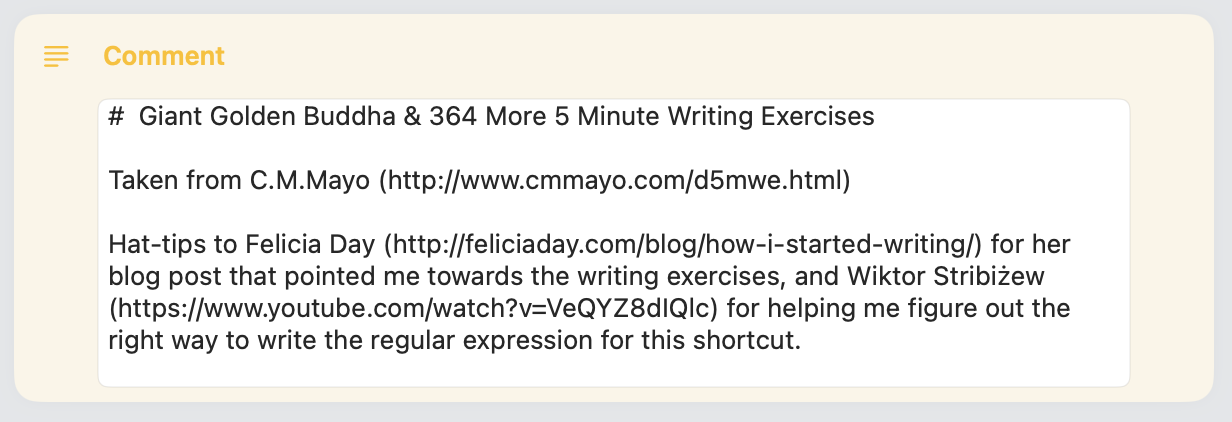
A comment to thank everyone who made this shortcut possible.
2
Put all the text into a Text action.
3
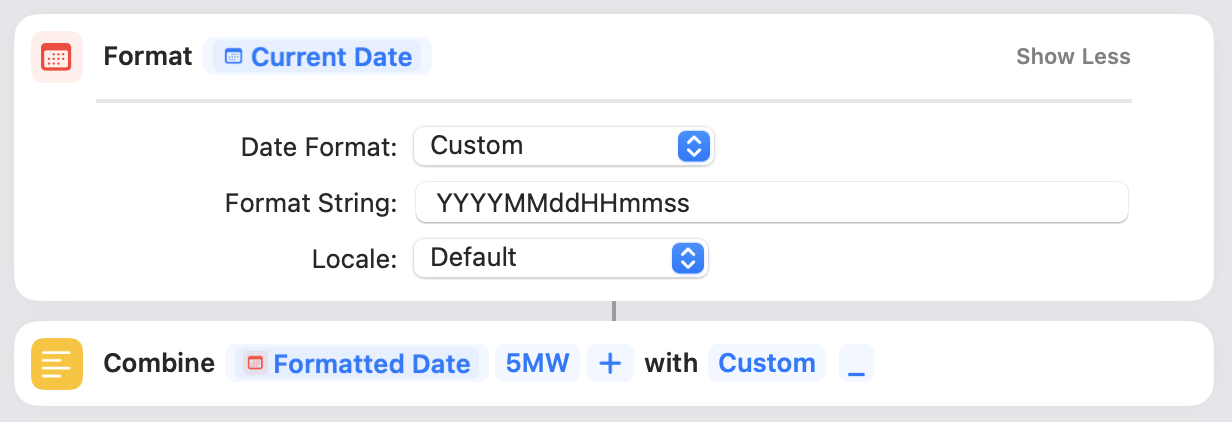
Get the current date and format it so it matches the text above (for example, October 1). Set the variable Today to the date.
4
Get the exercise for the day by matching (Today\b)[\s\S]*?(\n-{6}). Encode the result as a URL.
5
Create a new file with today’s date.
6
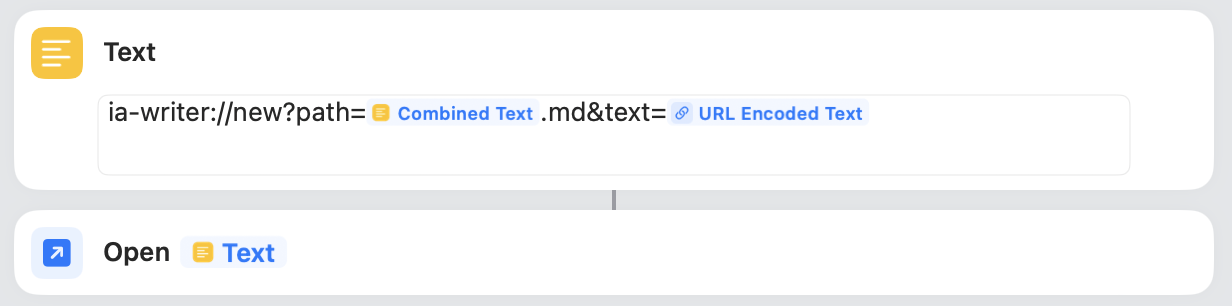
Open iA Writer with today’s exercise.
So, how much time does this all really save me? I have no idea, but let me refer you to another XKCD comic about automation. What I can say is that it really was fun getting this shortcut to work.
It’s a fallacy that I see played out over and over again. I’ve fallen for the seductive charms of “if you build it, they will come”1 more times than I care to admit.
This is something that I should know intuitively by now. I’ve been that nerd saying that Apple is only popular because they have great marketing. But now that I regularly use Apple products, there’s a lot of functionality there that makes my life easier day to day.
Besides, I’ve learned this during my MBA, and also during all the time that I’ve been working. You can have the smartest, cleverest, most effective solution in the world, and it won’t find any users (or, in our case, viewers) if it’s not marketed properly.
So the problem that I have to figure out is of how to market indie film – of any length – without killing myself in the process. It’s easy to fall into the trap of working to build something without telling anyone about it. But really, even stealth startups have some people talking about it in the background.
If a tree falls in the forest and no one hears it, does it matter? It might matter to all the critters who were living in and off the tree, but other than that? Maybe it doesn’t. Or maybe the role of that fallen tree is to provide the raw materials for new trees to grow.
Maybe all the struggle we’re facing in getting our films in front of a wide audience is just mulch for the success of future films.
I remember it being referred to somewhere as the Engineer’s Fallacy, but don’t remember where. It’s probably not the right term for it anyway. ↩
I’ve been trying to write more, and share photographs, and every time I do, I feel a twinge of terror that whatever I’m going to write1 is terrible. I think that what I’m writing right now is terrible. My heart rate is through the roof, and I try to find any and all reasons to not write.
"My fingers hurt."
"My keyboard doesn’t work very well."
"I have no idea what to write."
"I’m a slow typist."
And on and on. I feel this all the time. And it’s a problem because I want to write. I want to write a lot. I want to write essays. I want to tell stories. I want to make movies. But this fear – of speaking up, of being heard, of failing, – just won’t go away. And in the end, I don’t know if it matters.
It’s the fear that keeps me collecting. Keeps me from focusing long enough to put down what I want to say2.
None of this is good when I’m trying to write posts here, write short stories, or write accompanying blurbs with photos. Not to mention helping Vaidehi with her writing and marketing, and working on building a presence for UAKC. It’s all a lot.
Anyway. I’m scared every time I sit down to write something. And I think that the only way to make the fear go away is just to do it more.
I’m trying to write something to go along with every photo that I put out, and have a photo accompany every piece of writing. ↩
Or dictate. I’ve been practicing dictation with the new iOS 15 update. It’s weird to hear myself speak out loud, but it’s getting better. The worst part seems to be holding a train of thought without giving into the urge to correct errors. ↩
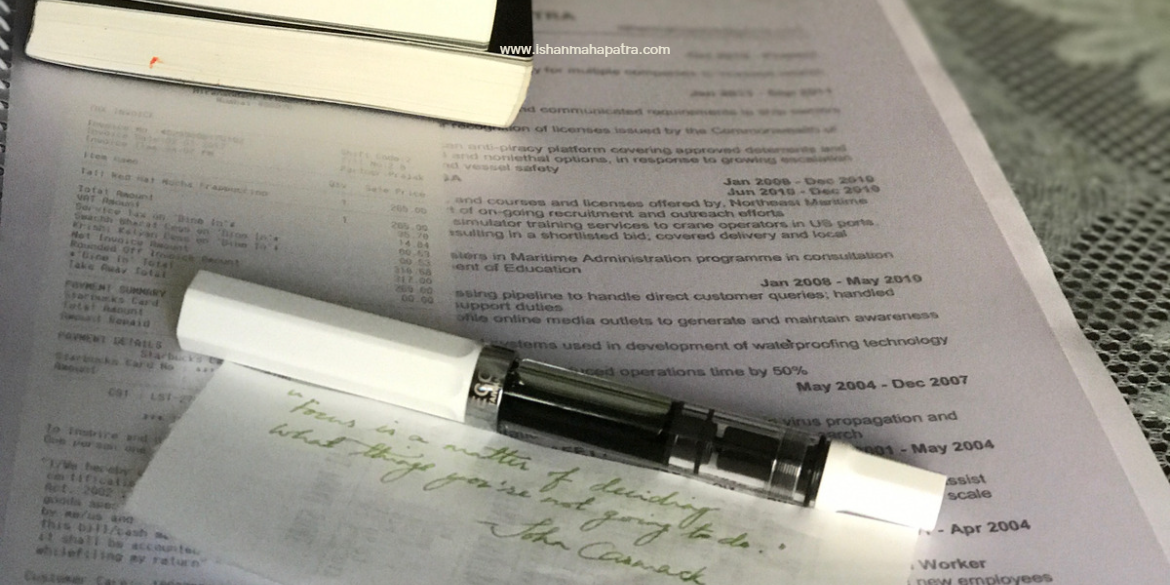
It seems to be job hunting season for my friends and family. And I’ve been helping them write and polish their resumes and curriculum vitae (CV). I often find myself repeating the same information – how to approach a job search, how to write a cover letter and a resume so that it helps you find the job, how to keep a log of your accomplishments at your job – so I wrote up a few pointers that I send along and refer to as I walk people through the job search process.
It is a process. And each step of the process should hopefully take you to the next one, with the goal of eventually getting you a job that you are excited to work at. Your cover letter should convince the reader to look at your resume or CV. In turn, that should make them want to bring you in for an interview, where they decide if they want to offer you the job, and you decide if you want to take it.
First things first: CVs and resumes are different beasts, even though the terms are used somewhat interchangeably. A resume should be 1-2 pages. It should highlight your most significant achievements in each job. A CV is much more suitable for academia – it should encompass all your professional achievements – papers, presentations, jobs, et cetera.
The flow of a resume is fairly straightforward. You want the reader to very quickly grasp that you are capable of doing the job, and how you’ve done your jobs in the past.1
One of the smartest ways that I learned to highlight my achievements was the STAR method of bullet point-writing. The STAR method is a simple formula for your bullet points that I learned while doing my MBA at Bayes Business School2. Each bullet point should be a sentence built using the following guidelines:
(S) Describe the Situation,
(T) Define your Task,
(A) Say what Action you took, and
(R) What the Result of that action was.
Situation, Task, Action, Result will give you a succinct sentence that fits a bullet point. Whenever possible, use concrete terms and numbers for the results, and use active language to describe it.
As you start doing this, you’ll see things that you’ve done that are outside what your job description stated or what the job you’re applying for needs. That’s fine. Keep them in the vault for another application. Or to bring up when you’re asked in an interview to "describe a time when you…" showed conflict management skills, or collaboration skills, or client management skills. This becomes your story bank. You might remember some difficult patches or conflict – note them down too, and what you learned from them.
Understand what a CV or resume is meant to do. It’s job is to get you an interview. Be clear in what you’re putting in the document. This is a sales pitch for you.
And don’t just do this when you’re looking for a job. Once a week, or at worst, once a month, look back on your work and add relevant points to your STAR bank. It helps to have this information on hand when you’re discussing your performance or negotiating for a raise. If you keep at this, you’ll wind up with your own career management document. You’ll see how you’ve grown and never dread an annual review because you won’t have to wonder what you’ve accomplished in the last few months.
Pasting your job description here is not the way to go. It shows nothing of what you have accomplished in the job, and in the worst case, can come off as lazy. If you’re not putting in the effort to remember and show off your accomplishments, why should anyone else? ↩